
Account-scoped data
No cross-account leakage: customers only see their domains, events and quarantine.

Institutional-grade server defence where AI correlates traffic, identities, services and files in real time. YOORguard then requires local evidence before challenging, blocking or restoring.
YOORguard places its defence chain beside EasyApache4, WHM and every cPanel account. Administrators govern the server; each customer receives a compartmentalised view of their own attack surface.
No cross-account leakage: customers only see their domains, events and quarantine.
Seven-day view, attacker geolocation and rDNS, plus a clear block history.
Suspicious files stay visible and traceable from the customer area.
 YOORguard
YOORguard never confuses unusual activity with a proven threat. AI puts signals into context; every automated action then passes through a local qualification gate.

AI contextualises and recommends; it never writes to the firewall by itself. Qualified local evidence and trust guardrails remain mandatory.
Traffic, logs, services, files and Apache pressure are analysed continuously.
The engine connects timing, target, identity, service, behaviour and recurrence to reveal coherent attack scenarios.
Score, local hostility, global IP checks, exclusions and probation establish the evidence.
Challenge, nftables block or quarantine: every action stays proportional and traceable.
The correlation engine turns isolated events into understandable attack scenarios. It prioritises risk, explains the factors retained and hands the decision to a deterministic local gate.
Never an autonomous block based on model intuition alone.
Temporal, behavioural and cross-service correlation
Explainable score · factors · scope · recurrence
Exclusions, trust, challenge and proportionality before any action
A local engine covers web, services, network and files, operated natively through WHM and cPanel.

An isolated YOORguard table, six escalating TTL levels and synchronisation only in Live mode.

Ambiguous traffic receives a signed, IP-bound verification. Repeated bypass attempts trigger escalation.

FTP, SMTP, SSH, mail, cPanel and MySQL are correlated without waiting for an external source.

A multi-rule engine, ClamAV and external adapters connect a compromised file to its network source.

Approved ports in one place and 249 countries available, off by default with protected trust exemptions.

SHA-256 vault, continuous self-healing and a version-pinned enforcement token.
YOORguard’s AI engine brings together web, network, authentication and file events to separate noise from an actionable attack. Evidence remains local, contextual and reversible.
Detection focused on attacks that truly target hosted applications, while controlling WordPress core false positives.
Sliding windows separate legitimate growth from aggressive campaigns without treating Apache load as standalone evidence.
Authentication bursts and protocol probes are correlated across FTP, SMTP, SSH, mail, MySQL and cPanel.
A native multi-rule engine combines ClamAV and external adapters to connect compromised artefacts to attackers.
Qualification adapted to legitimate messaging flows.
Known-good addresses are reconciled automatically.
External feeds corroborate; they never trigger a block alone.
Static exemptions and poison-resistant dynamic learning.
Geo-blocking is off by default and trusted networks remain untouchable.
Approved ports are centralised and audited in WHM.
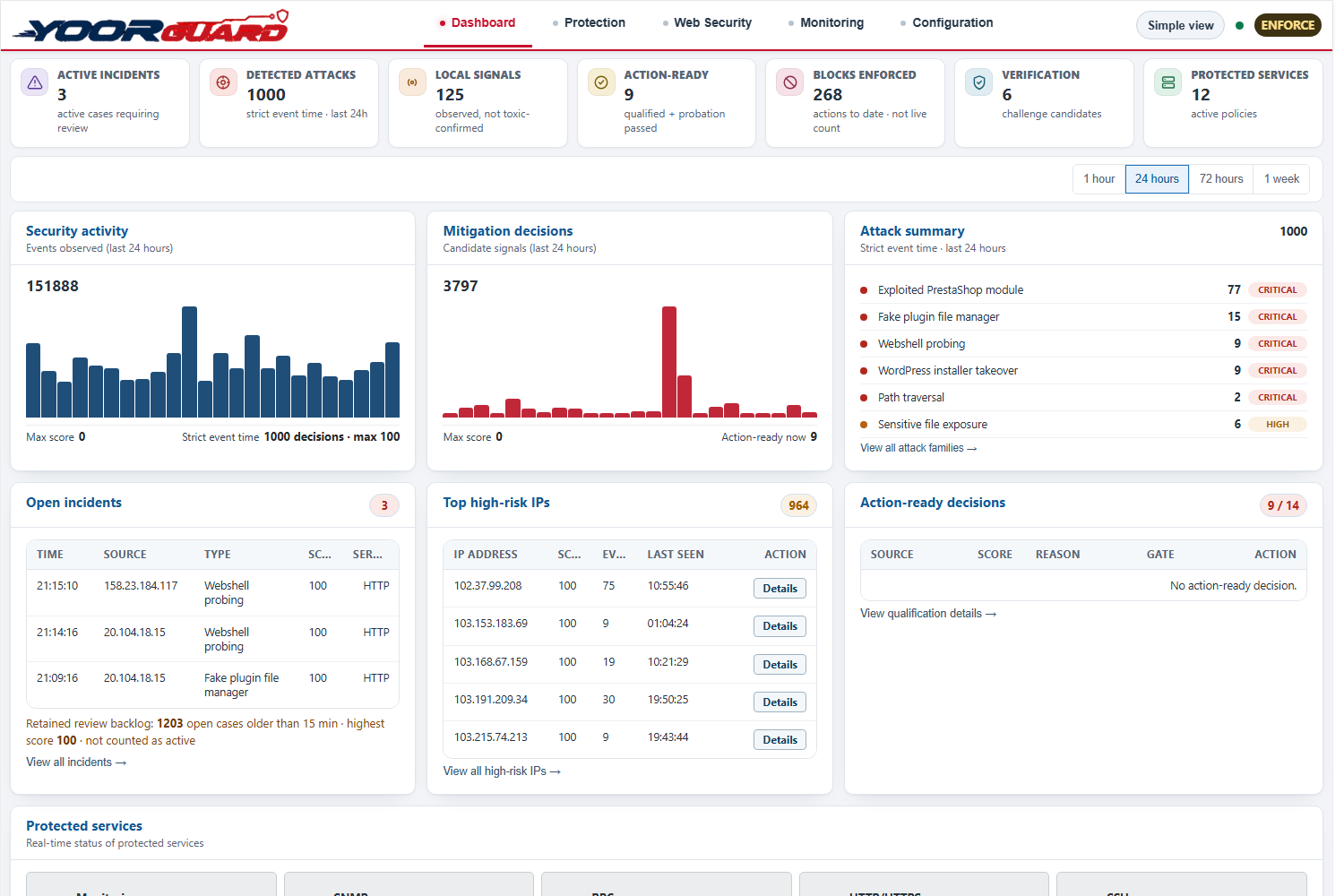
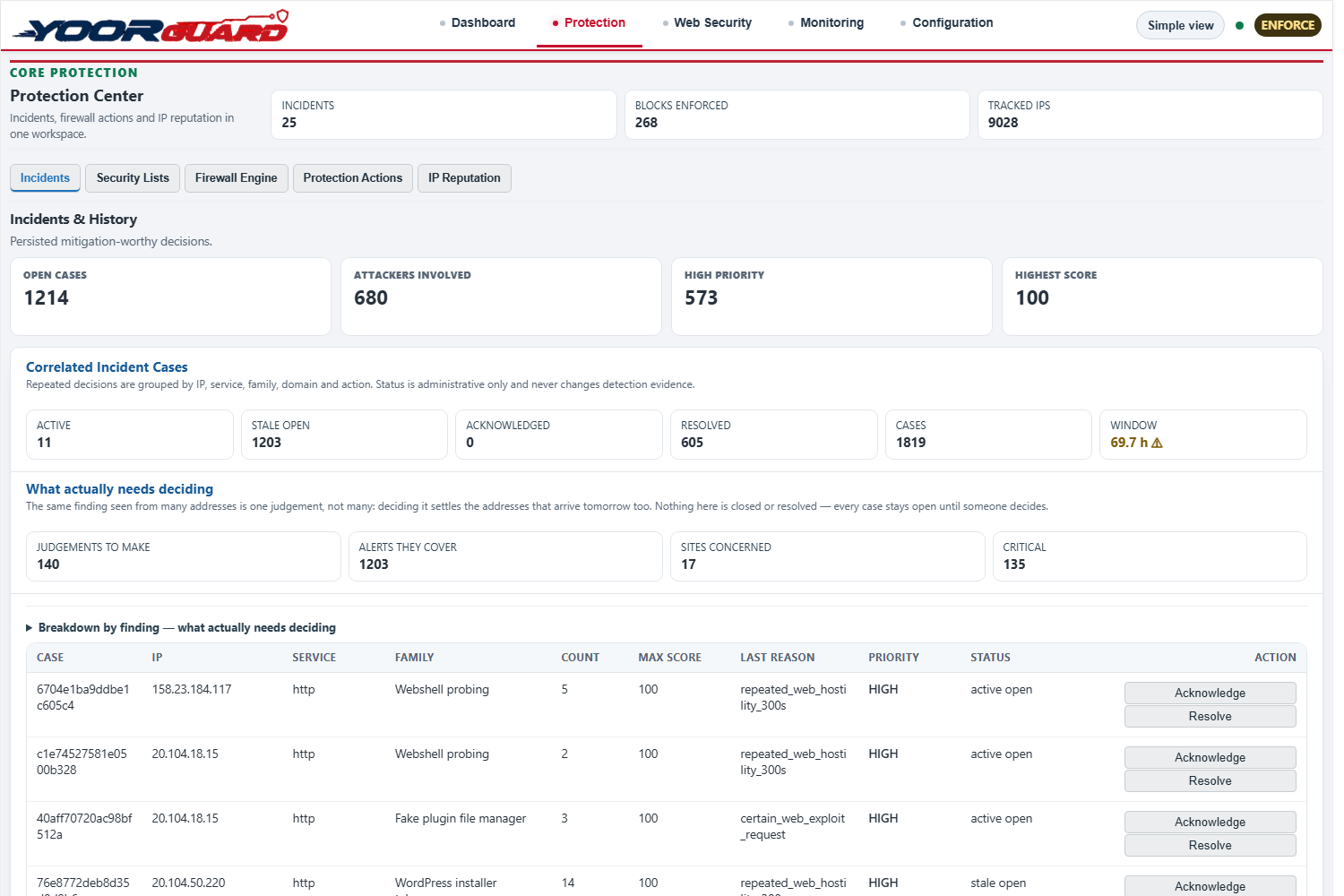
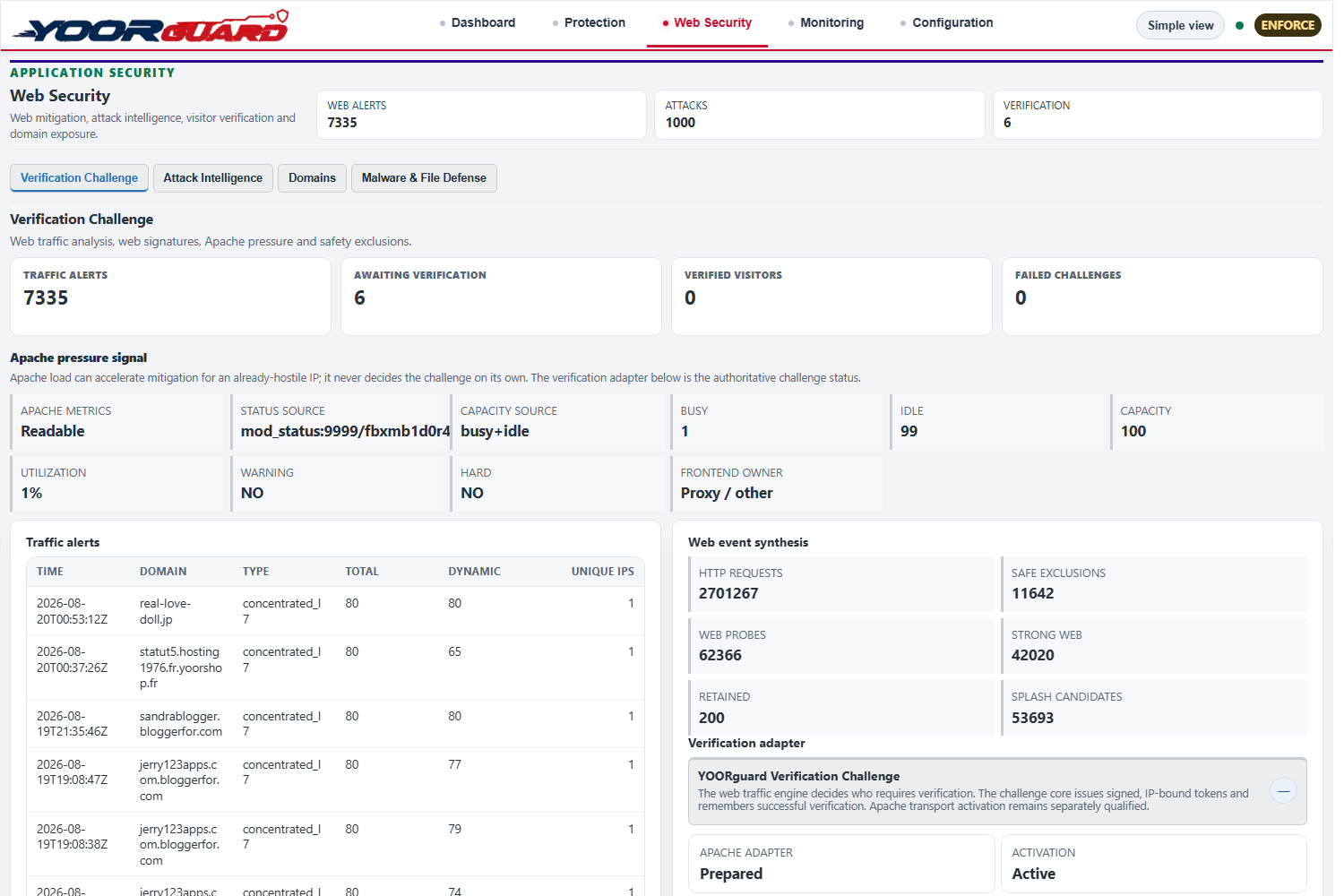
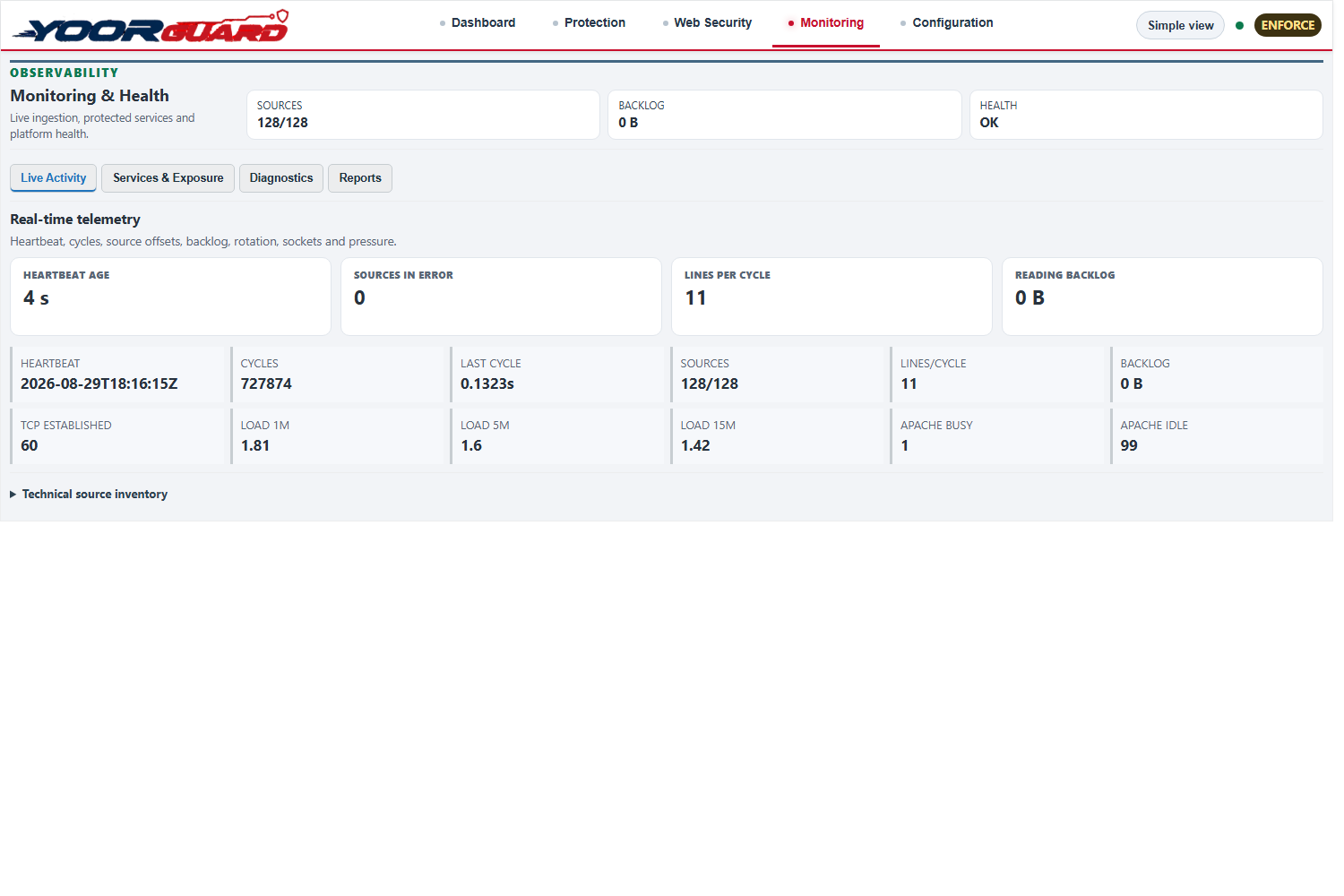
Activity, decisions, web protection, health and network exposure come together in an interface made for server administrators.
 Enlarge screenshot ↗
Incidents, attacks, local signals and action-ready decisions.
 Enlarge screenshot ↗
Correlated incidents, security lists, firewall and IP reputation.
 Enlarge screenshot ↗
Visitor challenge, attack intelligence, domains and file defence.
 Enlarge screenshot ↗
Heartbeat, sources, backlog, load and Apache pressure in real time.
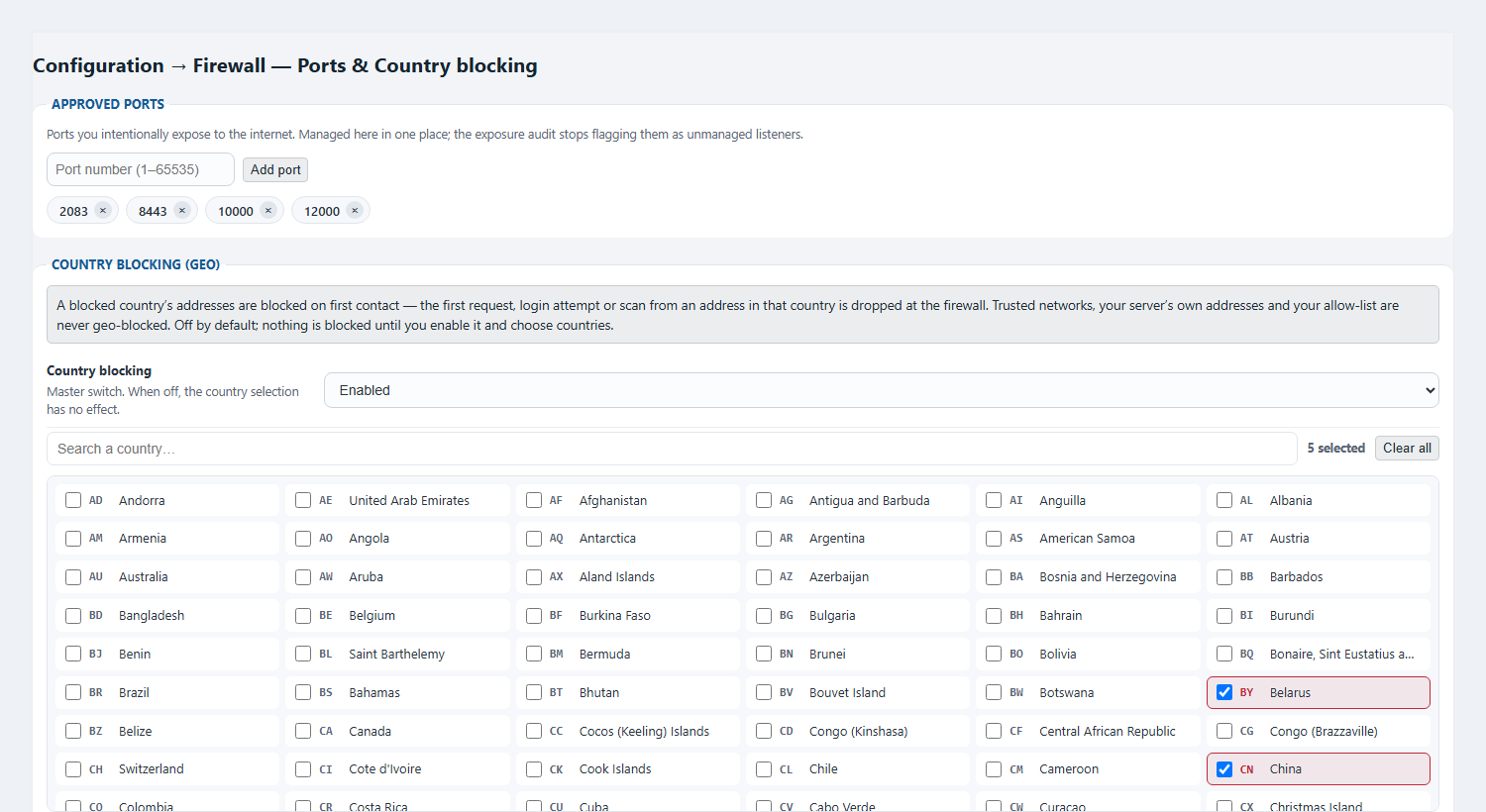 Enlarge screenshot ↗
Exposed port management and country blocking on one screen.
YOORguard distinguishes an injected file from a modified legitimate file, then chooses a safe action using available backups.
A webshell absent from the legitimate application is removed or quarantined.
A clean version strictly older than the infection is restored through JetBackup or YOORbackup.
The case is reported. YOORguard never restores a questionable backup at random.
YOORguard runs as a Python daemon supervised by systemd, on the standard EasyApache4/cPanel stack and with no mandatory cloud dependency.
Yes. Administrators control security from WHM and every customer gets a cPanel view strictly scoped to their account, including activity, attackers and quarantine.
No. Threat intelligence feeds remain advisory. An automatic firewall write requires hostile evidence observed locally.
Observation analyses and decides without writing to the firewall. Enforce applies qualified decisions to nftables with a version-bound approval token.
Ambiguous web traffic receives a signed challenge first. Trusted networks, server addresses, allow lists, payments and webhooks benefit from protected exemptions.
An injected file is quarantined. A modified original can be restored from an older clean backup. With no safe version, YOORguard reports instead of taking a risk.
AI correlates and contextualises signals from web, network, identities, services and files. It produces an explainable scenario, while action remains subject to local evidence and deterministic guardrails.
One command installs YOORguard in observation mode: nothing is blocked and your current protections stay in place. The switchover then happens step by step, with checks and a rollback at every step.
Imunify360, CSF and ModSecurity may stay installed: they are detected and taken over during migration.
As root, download and run the installer:
curl -fsSL -o install.sh \
  https://repo.yoorshop.net/maj/yoorguard-cpanel/install.sh
bash install.sh
The installer identifies the server, activates the trial licence, downloads the package, checks its sha256 fingerprint and installs. Each step shows ok or the cause of failure; the log is written to /root/yoorguard/logs/.
Right after installation, YOORguard analyses the server and traffic without blocking anything. Open WHM › Plugins › YOORguard.
The Migration tab lists the detected software. Imunify360 or CSF lists and ports are taken over; each red check explains how to fix it and the switchover waits for your confirmation.
Offered only after step 1 is confirmed. Every step keeps its before/after proofs and can be rolled back.
In Backup recovery, choose JetBackup 5 or YOORbackup as the source. An infected file can then be restored from the last clean backup of the cPanel account concerned.
yoorguard-updateA single command as root. The package is checked by sha256 before it is applied.
Uninstalling restores the original configuration. YOORguard files are moved to /root/yoorguard/backup/, never deleted.
30-day trial activated automatically at installation, no credit card. The licence is bound to the server identifier.
Deploy YOORguard in your own WHM and cPanel environment, evaluate the complete defence chain for 30 days, then retain the same protection with one simple annual licence.
Every YOORguard capability is available on your real infrastructure throughout the evaluation period.
One clear, predictable price to keep YOORguard protection active on one server for twelve months.
Three YOORhosting NVMe SSD infrastructures to deploy YOORguard, followed by two selected partners that simplify business operations.
A fast, manageable cPanel foundation for websites, blogs and shops.
More power and resilience for demanding projects.
Full server control for a security configuration tailored to your needs.
YOOR referral links. Terms, pricing and availability remain those of each partner.
Bring payments, cards, expenses and receipts together in one clear web and mobile interface.
Track your business and work with a chartered-accounting team from one interface.
Discover autonomous server protection that is clear in WHM and useful inside every customer’s cPanel space.